Give cleanup a clear boundary
Keep re-creatable scratch and cache files on named volumes with their own limits and deletion policies.
A personal build workspace with clear storage jobs / BUILD 05
A personal desktop workshop with distinct places for scratch output, VM workspaces, reusable caches and retained artifacts. Start with an owned host that can expose all four native NVMe paths.
Requires an existing host explicitly supporting four x4 links, plus a separate, restorable backup. Check what you need ↓
Explore 3 DIY project ideas ↓One Amazon selection with the planned quantities. Choose around the equipment you own.
A PIECE OF THE BUILD
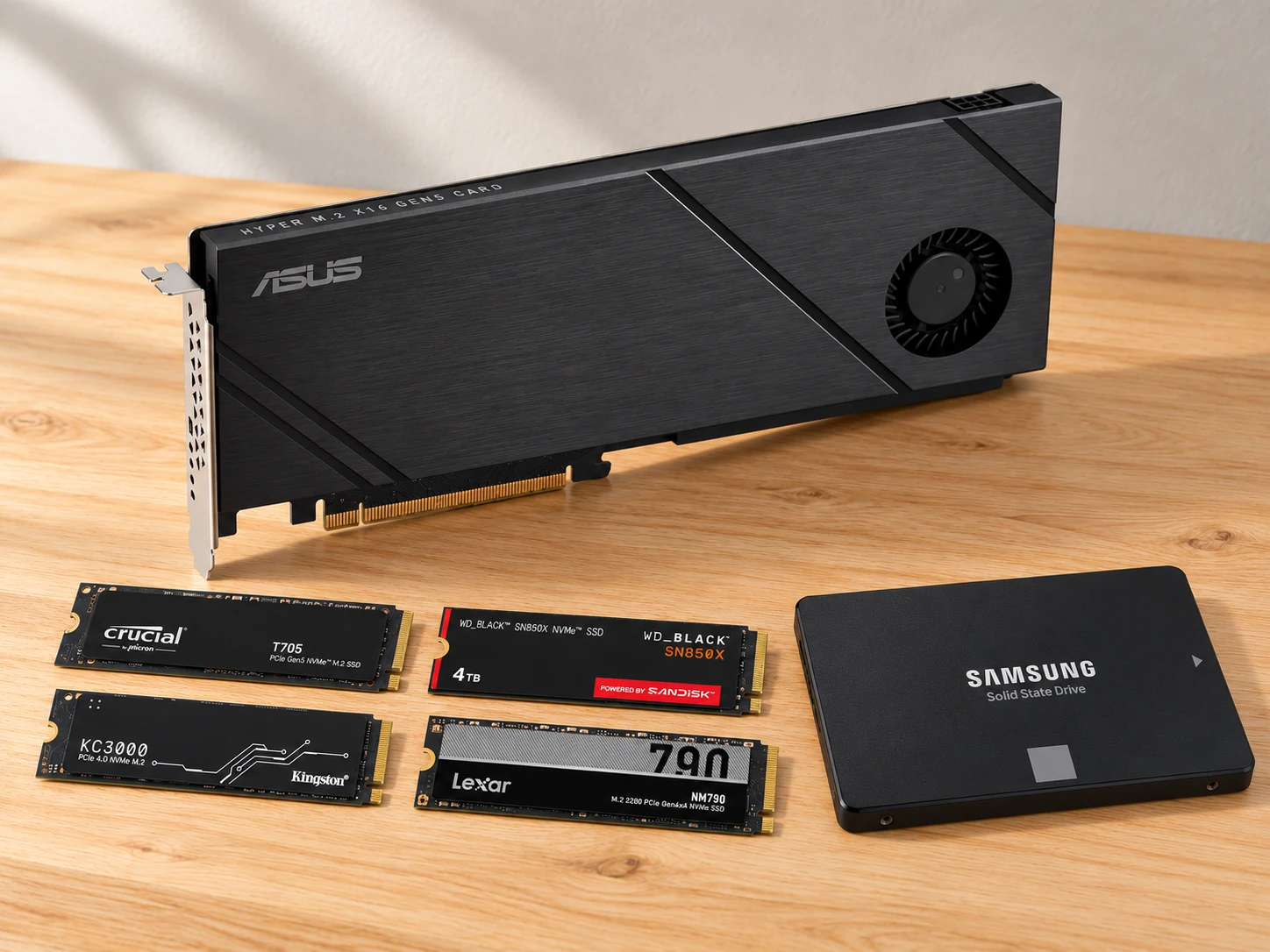
HYPER M.2 X16 GEN5 CARD
Turn one suitably wired host slot into four separately identifiable native NVMe paths. The integrated cooler avoids buying a duplicate heatsink for each bare drive.
M.2 sockets: 4 × Key M; 2242/2260/2280/22110
View on Amazon paid link · confirm current offerDetails & Header7F checksA PIECE OF THE BUILD · PREMIUM
CT1000T705SSD3
Give disposable compile output and temporary assets their own native drive, so a busy scratch workload has a clear destination and an independently inspectable path.
Selected capacity: 1TB, bare M.2 2280
View on Amazon paid link · confirm current offerDetails & Header7F checksA PIECE OF THE BUILD · PREMIUM
WDS400T2X0E
Retain release files, VM templates and build artifacts on a higher-capacity drive, separate from the disposable scratch volume. Retention and a separately owned backup remain software decisions.
Selected capacity: 4TB, without heatsink
View on Amazon paid link · confirm current offerDetails & Header7F checksA PIECE OF THE BUILD
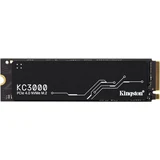
SKC3000D/2048G
Keep disposable development VMs on their own drive while the host boot disk and retained release artifacts have separate jobs. A rebuilt VM no longer requires clearing the artifact volume.
Selected capacity: 2048GB / 2TB
View on Amazon paid link · confirm current offerDetails & Header7F checksA PIECE OF THE BUILD
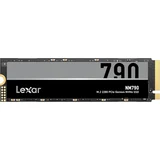
LNM790X002T-RNNNU
Give package downloads, container layers and other re-creatable build caches a defined home. Cache cleanup can then stay separate from VM disks and retained artifacts.
Selected capacity: 2TB, bare single-sided M.2 2280
View on Amazon paid link · confirm current offerDetails & Header7F checksA PIECE OF THE BUILD
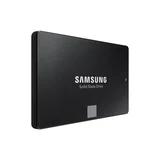
MZ-77E500B/AM
Keep the operating system and runner configuration on a separate SATA path, so editing the four-drive data layout does not also redefine the boot volume.
Selected capacity: 500GB
View on Amazon paid link · confirm current offerDetails & Header7F checksKeep re-creatable scratch and cache files on named volumes with their own limits and deletion policies.
Retain chosen build results and templates separately from the disposable workspaces that produced them, with a backup elsewhere.
Identify the four drive endpoints and their actual links so a later slot, firmware or configuration change has a useful baseline.
THE REASON TO BUILD IT
A busy project leaves more than source code behind: downloads, container layers, VM disks, temporary outputs and the release you finally want to keep. When they share one storage policy, cleanup becomes a judgment call. This layout gives those jobs separate volumes and leaves host boot on its own SATA drive.
The value comes from the roles you assign. Scratch and cache can be recreated; selected artifacts deserve retention and an independent backup. Four distinct NVMe models make each path identifiable, while the carrier’s cooling assembly brings the physical layout together. Use fewer owned drives when your personal workload does not justify the complete selection.
IMAGINE WHAT YOU COULD MAKE
Small inventions with a useful purpose.
Choose the idea that earns a place on your bench.
Original DIY concepts inspired by maker builds. You supply the code and validation. Shopping links open in a new tab; Amazon links are paid links.
DIY CONCEPT / 01
Give a personal Linux build worker a deliberate scratch area: the four-slot ASUS carrier exposes the native paths on a fully compatible host, and the T705 scratch drive takes disposable compile output. The useful DIY outcome is a workspace whose temporary files have a named home and a clear cleanup policy.
Header7F can help
PCI config decoder Inspect each supplied endpoint’s capability and actual negotiated link.
Console Keep the drive and immediate upstream route together in a saved baseline.
Requires explicit x4/x4/x4/x4 CPU-slot bifurcation, 6-pin PCIe power and the ASUS cooling/fan procedure. You configure and measure the build software separately.
DIY CONCEPT / 02
Keep personal development VM disks on the KC3000 workspace drive and retain selected release artifacts on the 4TB SN850X. Build a desktop workflow where rebuilding a disposable guest and clearing its working files are separate decisions from retaining the result you want to keep.
Header7F can help
Console Preserve supplied native PCIe evidence beside the desktop’s volume-role notes.
IOMMU group checker Review grouping only if you deliberately plan whole-controller passthrough; ordinary VM files do not need it.
Personal desktop use, not a server recommendation. Follow the ASUS thermal-pad instructions and omit its bundled M.2 rubber spacer for the double-sided KC3000. Separate volumes provide no redundancy or independent backup; keep a restorable copy elsewhere.
DIY CONCEPT / 03
Give re-creatable dependencies and container layers the NM790 cache drive, while the 870 EVO boot drive holds the host operating system and runner setup on a separate SATA path. The idea is a personal build station with explicit mount points, capacity limits and a record of what may be deleted.
Header7F can help
Console Keep supplied NVMe and upstream-route evidence with the host’s configuration record.
PCIe AER decoder Interpret genuine host PCIe error logs if a native NVMe path changes.
You supply the host, SATA leads, mount, build software and independent backup. Header7F does not clean caches, benchmark builds or decode the SATA SSD as a PCIe endpoint.
These projects inspired the approach. The concepts above are Header7F adaptations, not tested reproductions of these builds.
EVERY PIECE HAS A JOB
Buy for the storage jobs your personal desktop actually needs. Reuse suitable owned drives and begin with fewer if appropriate. The complete four-drive layout requires verified host bifurcation and cooling; no backup, RAID or measured speed improvement is included. Recheck current offers and delivery for every exact model.
Give each storage job its own path.
Four sockets put separately identifiable NVMe drives on one card, with a shared cooling assembly. On a host that provides the required four x4 links, each drive can keep a clear purpose and a native PCIe baseline.
Core carrier for this layout. Requires explicit CPU, motherboard, BIOS and slot bifurcation support, correct 6-pin PCIe power and the ASUS cooling setup. The chassis-fan connection provides optional speed control. The card adds no PCIe switch or lanes.
Before choosing itExisting CPU, exact motherboard/BIOS and slot explicitly supporting x4/x4/x4/x4 bifurcation, full card clearance, correct 6-pin PCIe power and the ASUS fan/cooling setup. The motherboard chassis-fan connection provides optional fan-speed control. A physically x16 slot alone is insufficient.
With Header7FInspect each drive’s negotiated PCIe path →
The passive carrier does not add a PCIe switch or create lanes. Header7F does not enable bifurcation or certify the host; inspect all four endpoints and upstream routes separately.
Manufacturer specificationsA place for work you can recreate.
Use the 1TB Gen5 drive for compile outputs and temporary assets. A named scratch volume makes its cleanup policy easier to keep separate from the files you intend to retain.
Premium expansion for a justified scratch workload. Gen5 requires a complete Gen5 host path and correct cooling; no measured build-time improvement is claimed.
Before choosing itUse the Hyper card’s correctly installed thermal pads and cooler. Gen5 operation also requires a Gen5-capable CPU route and slot; Gen4 fallback is expected on a Gen4 path.
With Header7FCheck Gen5 capability against the live link →
Manufacturer peak figures are not a measured build-time promise. Header7F does not benchmark storage or determine thermal throttling from config space alone.
Manufacturer specificationsKeep the releases that matter.
Give retained artifacts, release files and selected templates a larger 4TB home. A distinct volume helps separate the result you want to preserve from the temporary work that produced it.
Premium retained-storage role. This internal drive is not an independent backup or a redundant array; keep a separately restorable copy elsewhere.
Before choosing itBare 2280 fit and host/card cooling, suitable filesystem and retention policy, independently restorable backup outside this host.
With Header7FPreserve the artifact drive’s native baseline →
A second internal volume is not an independent backup and no redundancy is supplied. Header7F does not verify file integrity, manage snapshots or guarantee sustained throughput.
Manufacturer specificationsRebuild a workspace without clearing the library.
Use a dedicated 2TB volume for personal development VM disks. A disposable guest can then be rebuilt according to your software policy while retained release artifacts stay on their own volume.
Personal desktop development only; Kingston excludes Server environments. Follow the ASUS thermal-pad instructions and omit the bundled M.2 rubber spacer for this double-sided module. Host-managed VM files do not require passthrough.
Before choosing itDouble-sided 2048GB module clearance and correct thermal-pad contact under the ASUS card cooler, plus the chosen hypervisor and adequate host RAM. ASUS instructs users to omit its bundled M.2 rubber spacer for a double-sided module; follow the exact manual for the remaining thermal-pad installation.
With Header7FReview grouping only if passing a whole controller to a VM →
Ordinary host-managed virtual disks do not require PCIe passthrough. IOMMU grouping alone does not prove reset support, guest compatibility or safe assignment. Kingston specifies desktop/notebook workloads and says this SSD is not intended for Server environments; use this as a personal development workstation concept, not an enterprise storage recommendation.
Manufacturer specificationsDelivery was restricted in the checked Amazon location. Check the exact listing for your destination before choosing this item.
Make the cache a deliberate choice.
Put reproducible package downloads and container layers on their own 2TB volume. Capacity limits and cleanup rules can follow the cache’s job, without sharing the release library’s retention policy.
Expansion for a cache that your workload can use. Configure the build software and mounts separately; advertised drive rates do not establish cache or compile-time gains.
Before choosing itConfigure build/container software to use the intended mounted volume, with sensible capacity limits. Cache contents must be reproducible or backed up elsewhere.
With Header7FKeep cache-drive and upstream-route evidence separate →
Header7F does not configure a CI runner, clean caches or measure cache hit rates. The advertised SSD rate does not establish compile-time gains.
Manufacturer specificationsKeep boot separate from the experiment.
A SATA boot volume gives the operating system and runner configuration a different path from the four NVMe data drives. That makes the intended boot device clear while you organize the desktop’s working volumes.
Setup option when an adequate owned boot drive is unavailable. Host, SATA data and PSU power leads and a suitable mount are required; this drive is not a PCIe endpoint or a backup.
Before choosing itExisting host SATA controller/port, SATA data and PSU power leads, appropriate 2.5-inch mount and OS support. These cables and host are not supplied in this bundle.
With Header7FKeep host and NVMe evidence with the build record →
Header7F does not decode this SATA SSD as a PCIe endpoint. Any PCIe evidence belongs to the host controller or the four native NVMe drives, not to this SATA device.
Manufacturer specificationsYOUR FIRST USEFUL RESULT
Four correctly enumerated NVMe paths, an identified SATA boot volume and a written role for each mounted volume.
Confirm four-way bifurcation, slot wiring, clearance, 6-pin PCIe power and the manual’s cooling arrangement before selecting the complete layout.
Keep the boot, scratch, VM, cache and retained-artifact roles explicit; verify an independent backup before installation changes.
After an approved powered-down installation, confirm each endpoint and mount with host tools and preserve the native PCIe baseline.
Use actual supplied endpoint and upstream evidence. Link capability and negotiation do not establish storage throughput or file integrity.
A CONSIDERED PURCHASE
For a verified compatible personal desktop. All four x4 links require CPU, motherboard, BIOS and slot support. KC3000 is not intended for Server environments; there is no included backup or RAID.
No. The exact CPU, motherboard, BIOS and chosen slot must support x4/x4/x4/x4 bifurcation. Confirm the motherboard manual and ASUS compatibility guidance. This carrier is passive: it does not add a PCIe switch or manufacture extra lanes.
Follow the ASUS manual for the correct 6-pin PCIe power connection, fan/cooling setup, thermal pads and full-card clearance. Its chassis-fan connection provides optional motherboard fan-speed control. For the double-sided 2TB KC3000, omit the bundled M.2 rubber spacer as instructed. Gen5 negotiation requires a complete Gen5 host path.
No. These are distinct personal desktop volumes with separate jobs. No array, disk redundancy or independently restorable backup is supplied. You choose filesystems, retention, copy verification and a separate backup destination.
This concept is scoped to personal desktop development. Kingston states that KC3000 is intended for desktop and notebook workloads and is not intended for Server environments. No server suitability, enterprise power-loss protection or 24/7 service guarantee is claimed.
This AI-arranged illustration shows a planned kit using product appearance references. Compare the original photos and the exact listing variant. It does not document an assembled, tested or compatible Header7F lab.
All scene products remain visible and individually linked. Retailer offers and regional delivery can change. Tools interpret supported supplied evidence; handling accessories do not produce diagnostic data.
As an Amazon Associate I earn from qualifying purchases. Amazon links are paid links; check the exact model, seller, price and delivery availability on Amazon.
← Explore the other builds