Find the moment again
Verify a short local recording, replay and export before treating the installation as useful.
A single view with a local recording plan / BUILD 09
Build a small local recording workflow around a suitable PC you already own: one wired camera, a deliberate storage plan and a supported decoding path.
An upgrade kit for an existing compatible Linux PC with independent OS storage, GPU clearance, SATA power/data and an owned network. Reuse the cables included with the camera and injector where suitable. Check what you need ↓
Explore 3 DIY project ideas ↓One Amazon selection with the planned quantities. Choose around the equipment you own.
A PIECE OF THE BUILD · PREMIUM
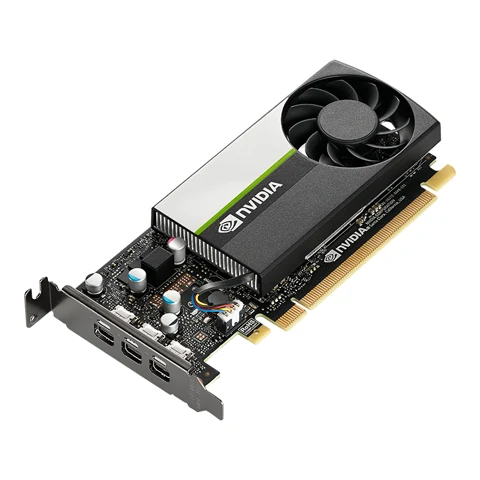
NVIDIA T400 4GB
Give supported camera-stream decoding a dedicated GPU path in the existing recorder host, while keeping the actual host device identifiable.
Graphics memory: 4GB GDDR6
View on Amazon paid link · confirm current offerDetails & Header7F checksA PIECE OF THE BUILD · PREMIUM
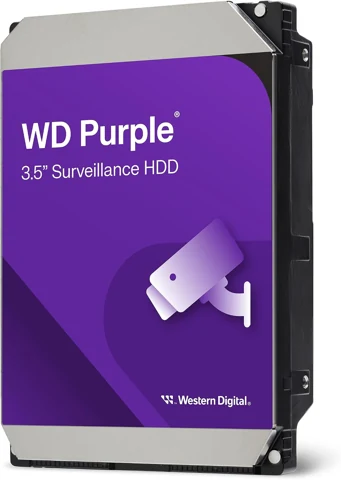
WD43PURZ
Give local recordings a dedicated capacity plan instead of filling the existing system disk without a retention policy.
Capacity: 4TB before formatting
View on Amazon paid link · confirm current offerDetails & Header7F checksA PIECE OF THE BUILD
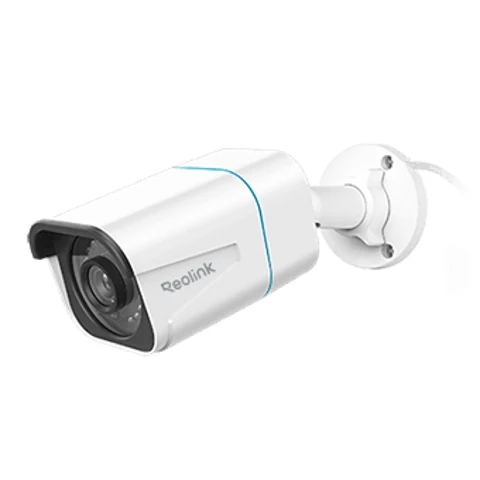
RLC-810A
Start with one identifiable wired view and prove that its real stream can be recorded and replayed locally before adding more cameras.
Maximum image: 3840 × 2160 / 8MP
View on Amazon paid link · confirm current offerDetails & Header7F checksA PIECE OF THE BUILD
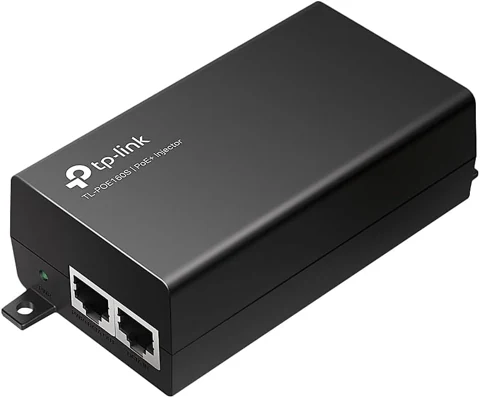
POE160S / TL-POE160S family
Power the single camera over its Ethernet run without requiring the owner to replace a working non-PoE network switch.
PoE standard: IEEE 802.3af / 802.3at
View on Amazon paid link · confirm current offerDetails & Header7F checksVerify a short local recording, replay and export before treating the installation as useful.
Set recording and retention from actual bitrate, available space and your own needs.
Preserve real GPU PCIe context beside camera, codec and storage settings before the next update.
THE REASON TO BUILD IT
The useful first result is a moment you can find again. Begin with one camera pointed at a permitted view. Record a short real event locally, replay it on the device you expect to use and export a clip before deciding how long to keep footage.
Each selected piece has one job. The camera supplies the view, the active injector supplies its network power route, the recording drive supplies a dedicated capacity plan and the GPU offers supported video decoding in the existing host. The host, network and software configuration still matter.
IMAGINE WHAT YOU COULD MAKE
Small inventions with a useful purpose.
Choose the idea that earns a place on your bench.
Original DIY concepts inspired by maker builds. You supply the code and validation. Shopping links open in a new tab; Amazon links are paid links.
DIY CONCEPT / 01
Pair the single wired camera with a dedicated 4TB recording disk in your existing host. Configure one view in Frigate, record a short real event and replay/export it before choosing retention settings.
Header7F can help
Header7F Console Preserve genuine recorder-host GPU PCIe evidence beside separately verified camera and recording results. Header7F does not operate Frigate.
Proposed single-camera workflow. Existing host, boot disk, SATA connections and network are required. One disk provides no redundancy; H.265 playback depends on client support.
DIY CONCEPT / 02
Use the T400 4GB to establish a supported NVIDIA decoding path for the actual camera stream. Compare the same recording session before and after one driver/configuration change, retaining playback results and a genuine host baseline.
Header7F can help
Header7F Console Preserve genuine recorder-host GPU PCIe evidence beside separately verified camera and recording results. Header7F does not operate Frigate.
PCIe AER decoder Interpret actual host GPU/port AER messages if present; it cannot diagnose RTSP or SATA disk faults.
NVDEC video decoding is separate from AI object detection. No AV1, guaranteed camera capacity, inference rate or automatic diagnosis is promised.
DIY CONCEPT / 03
Use the active PoE+ injector to carry power and network data along one supported camera cable run. Verify a stable live view and recovery after an orderly restart, with the endpoint address and power/data route written down.
Header7F can help
Header7F Console Preserve genuine recorder-host GPU PCIe evidence beside separately verified camera and recording results. Header7F does not operate Frigate.
No new network switch or separately sold cable is included. Use suitable supplied or owned cables and a correct regional AC connection; Header7F does not measure PoE or manage the camera.
These projects inspired the approach. The concepts above are Header7F adaptations, not tested reproductions of these builds.
EVERY PIECE HAS A JOB
Four distinct products, quantity one each. The existing host, boot disk, SATA data/power and suitable network cables are prerequisites. Reuse supplied or owned items; confirm exact revisions, sellers and regional delivery on Amazon.
Give decoding its own path.
The low-profile card adds a supported NVIDIA decode option to a suitable existing recorder host. Confirm the actual codec and software setup, then keep that working configuration as the baseline.
4GB GPU memory is finite. This is not a stream-count or AI-accuracy guarantee; reuse an adequate existing decode device first.
Before choosing itExisting compatible PC with slot power, clearance, correct bracket and supported NVIDIA driver. Frigate requires explicit GPU access and a supported decoding profile; NVIDIA Container Toolkit is needed for a containerized deployment. Verify the exact card and software stack.
With Header7FKeep the recorder GPU baseline →
Header7F interprets supplied host PCIe evidence. It does not configure Frigate, decode an RTSP feed or certify camera throughput. T400 has no hardware AV1; decoding support does not promise AI detection performance.
Manufacturer specifications and selected Amazon identityExact Amazon identity checked 20 October 2026. Check the model, seller, condition, current price and delivery offer for your destination.
Make retention a deliberate choice.
A dedicated recording disk keeps the capacity decision visible. Use the real camera bitrate and chosen recording mode to set a policy, then verify both playback and available space.
One 4TB drive before formatting. No mirror, backup or guaranteed number of recording days is included.
Before choosing itExisting recorder PC with a suitable 3.5-inch bay, SATA port, owned SATA data cable, power connector, ventilation and separate boot disk. Protect existing data and choose the correct target drive before preparing storage.
With Header7FKeep storage symptoms separate from PCIe evidence →
One 4TB disk provides no disk redundancy or offsite backup. Retention depends on real bitrate, recording policy and available capacity. Header7F does not inspect SATA drive health, initialize storage or verify recordings.
Manufacturer specifications and selected Amazon identityExact Amazon identity checked 20 October 2026. Check the model, seller, condition, current price and delivery offer for your destination.
Start with one useful view.
One wired camera makes installation and replay validation manageable. Choose a permitted view, confirm the actual lens and stream, and prove a short recording before adding complexity.
Its local detection features are independent from Frigate object detection. Camera firmware, RTSP behavior and H.265 client support need real checks.
Before choosing itA suitable permitted mounting/view location, protected cable route, compatible active PoE source and existing local network. Enable required camera protocols, update supported firmware and verify main/substream settings against Frigate’s Reolink guidance. Use suitable supplied or owned cable first.
With Header7FSeparate camera symptoms from host evidence →
This is an Ethernet camera, not a host PCIe endpoint. Header7F does not read the video, test detection or inspect camera firmware. H.265/browser compatibility and actual lens/hardware revision need independent checks.
Manufacturer specifications and selected Amazon identityExact Amazon identity checked 20 October 2026. Check the model, seller, condition, current price and delivery offer for your destination.
Keep the working network.
An active injector adds the single camera power route without replacing an adequate non-PoE switch. Its data-in and powered-output ports have distinct jobs.
The supplied regional cord, cable and mounting parts belong to this purchase. Do not add them as separate shopping entries.
Before choosing itA suitable indoor AC outlet with the correct regional cord and an owned network data port. Connect data-in and PoE-out correctly; reuse suitable supplied or owned Ethernet cables. The camera’s 100Mb/s port remains its own limit.
With Header7FKeep power and network checks distinct →
This active injector has no host PCIe function or managed network interface. Header7F cannot validate PoE voltage, cable integrity or camera traffic. A 30W source rating is not measured camera consumption.
Manufacturer specifications and selected Amazon identityExact Amazon identity checked 20 October 2026. Check the model, seller, condition, current price and delivery offer for your destination.
YOUR FIRST USEFUL RESULT
A short real event recorded, replayed and exported from the local host, with codec and storage settings saved beside the result.
Install the camera and active PoE route according to the makers’ instructions. Verify the actual RTSP/main/substream and independent live playback on your existing network.
Prepare the intended recording disk without disturbing the host boot disk. Follow Frigate’s camera/decoding guide, record a short event and verify replay/export before choosing retention.
Save firmware, driver, codec, bitrate, storage policy and measured playback result. Add a genuine host GPU PCIe baseline so a later system change has comparable evidence.
Import genuine host GPU evidence. Camera video, RTSP errors, disk health, detection accuracy and recording retention need their own independent checks.
A CONSIDERED PURCHASE
An expansion selection for a suitable existing PC and network. It does not include the host, boot disk, SATA connections or a tested Frigate configuration.
No. You provide the suitable host PC, independent boot disk, SATA connections, network and supported software setup. The camera and injector need correct mounting, cable routing and regional power.
Video decoding and object detection are separate workloads. This selection proposes supported H.264/HEVC decoding; no camera count, inference performance or detection accuracy has been measured. T400 has no hardware AV1 decoding.
That depends on actual stream bitrate, recording mode, retention settings, free capacity and overhead. Measure the real installation before setting policy. A single disk provides no disk redundancy or offsite backup.
The RLC-810A main stream uses H.265. Camera firmware, RTSP settings, browser and client codec support affect the result. Follow Frigate’s Reolink guidance and verify both live view and recorded playback.
Header7F can interpret supported supplied host GPU PCIe captures and relevant AER/kernel evidence. It does not connect to Frigate, inspect RTSP video, test PoE, diagnose SATA disk health or configure recording.
No extra cables are selected. Reuse the compatible network cable and regional power cord supplied with the products where suitable, and provide owned cable runs and SATA data/power connections as required.
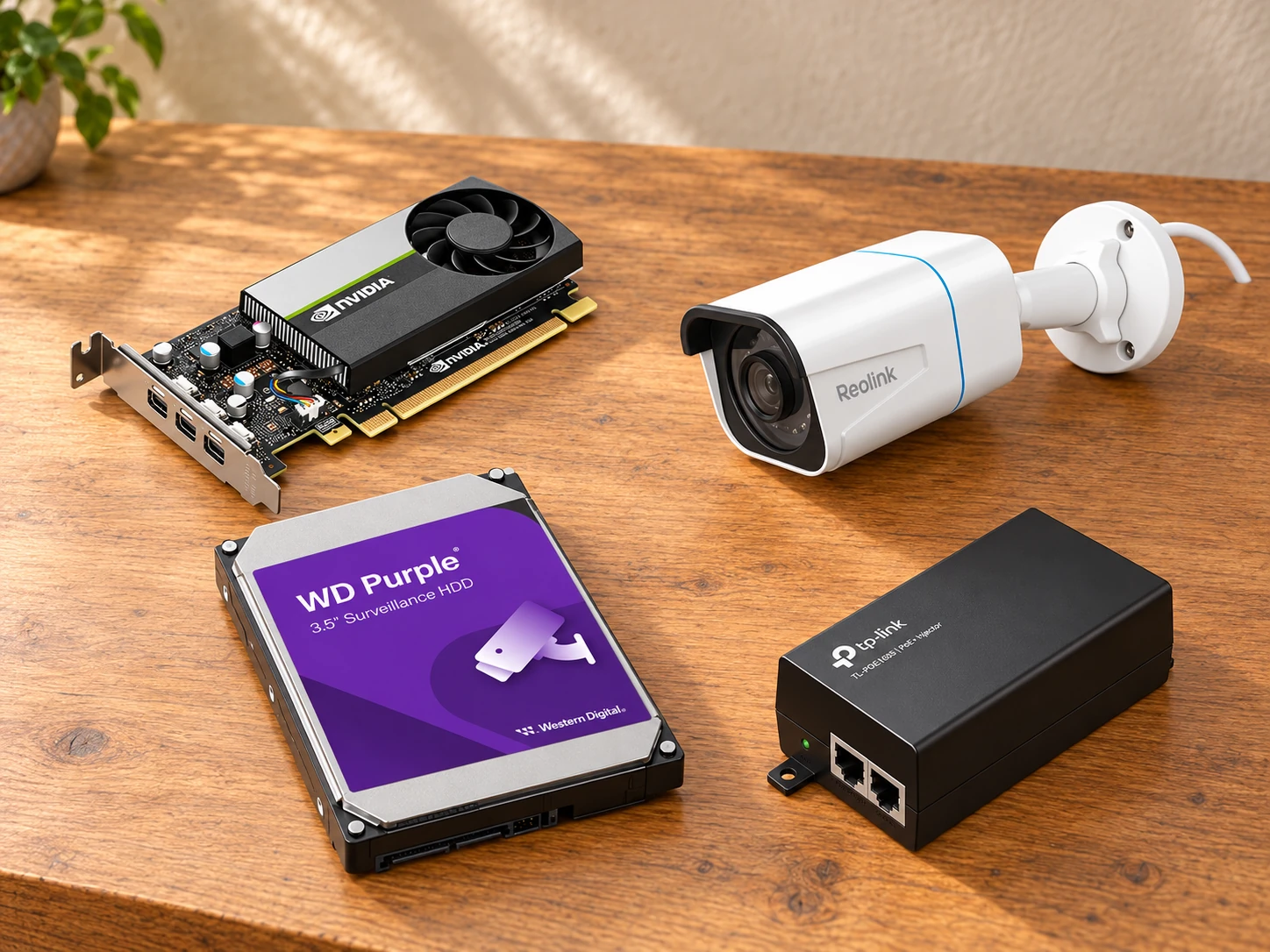
This AI-arranged illustration shows a planned kit using product appearance references. Compare the original photos and the exact listing variant. It does not document an assembled, tested or compatible Header7F lab.
All scene products remain visible and individually linked. Retailer offers and regional delivery can change. Tools interpret supported supplied evidence; handling accessories do not produce diagnostic data.
As an Amazon Associate I earn from qualifying purchases. Amazon links are paid links; check the exact model, seller, price and delivery availability on Amazon.
← Explore the other builds