Return to one clear menu
Choose and document the boot tools you want available before the next machine needs a fresh start.
Make the next rebuild predictable / BUILD 08
A local boot menu, selected recovery assets and one reusable USB entry path for the machines you already own.
An upgrade kit for an existing Linux host with a suitable PCIe slot and native M.2 slot. Bring a supported client, an independent management path and a deliberately isolated boot segment. Check what you need ↓
Explore 3 DIY project ideas ↓One Amazon selection with the planned quantities. Choose around the equipment you own.
A PIECE OF THE BUILD · PREMIUM
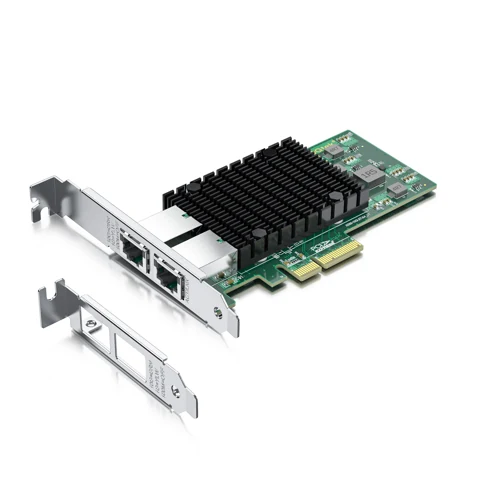
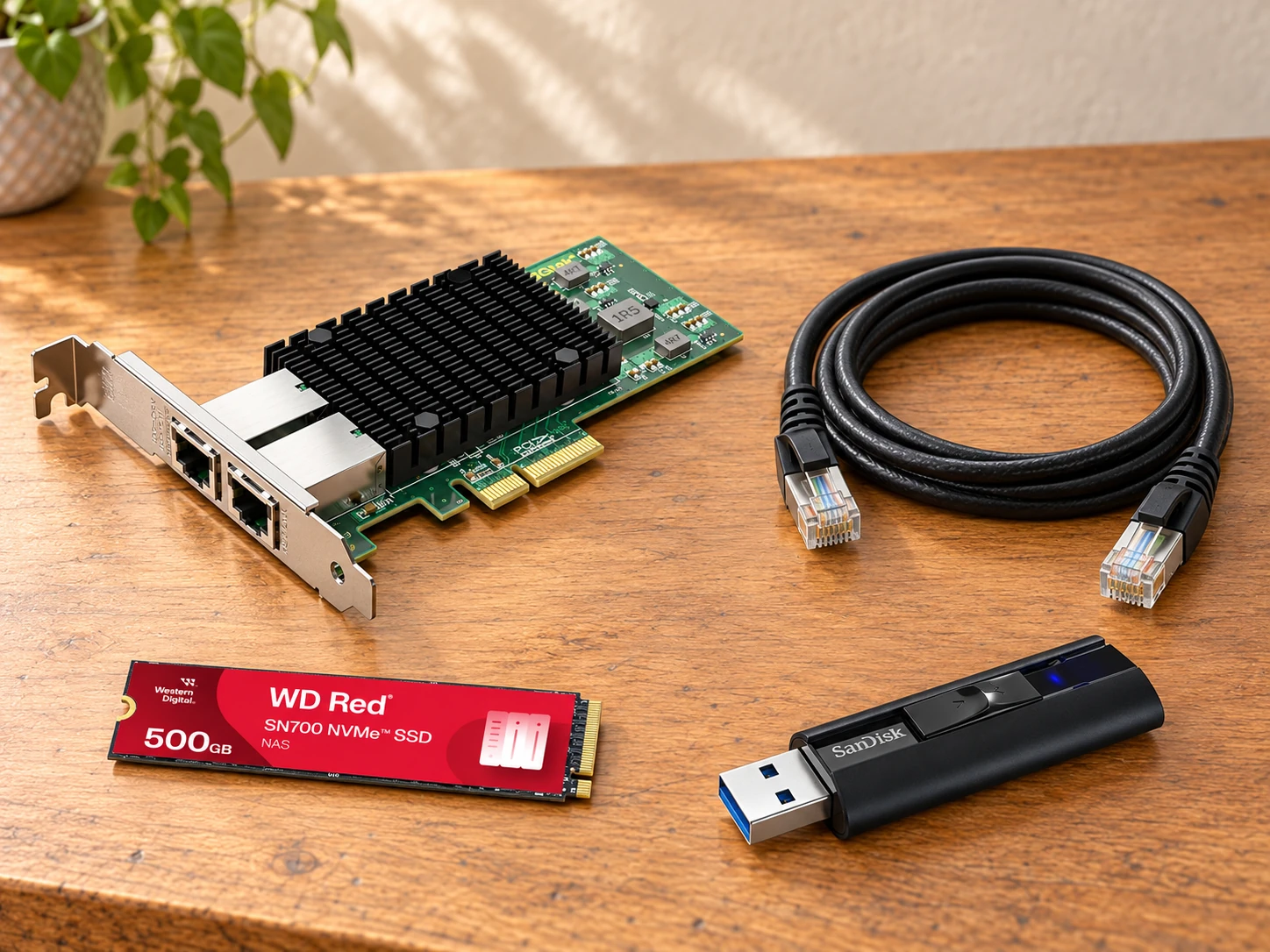
X550-10G-2T-X4
Give an owned Linux host a dedicated wired path for the test machine while its existing management connection remains available.
Host interface: PCIe 3.0 x4
View on Amazon paid link · confirm current offerDetails & Header7F checksA PIECE OF THE BUILD · PREMIUM
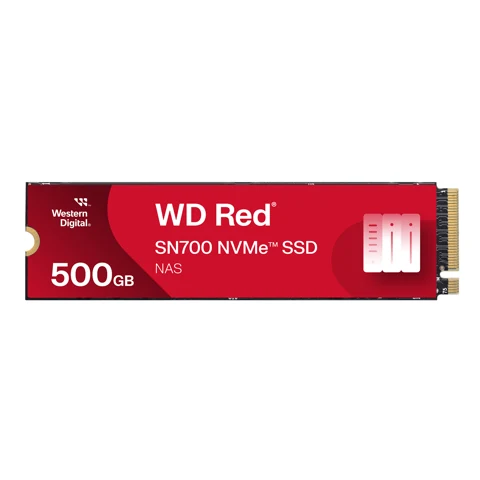
WDS500G1R0C
Store selected local boot assets, menus and verified recovery files on a dedicated volume in the serving host.
Capacity: 500GB nominal
View on Amazon paid link · confirm current offerDetails & Header7F checksA PIECE OF THE BUILD
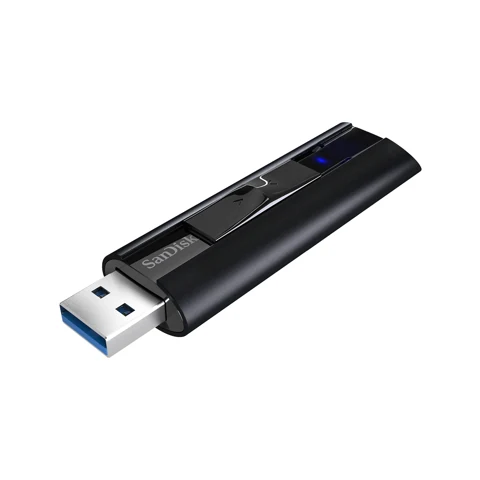
SDCZ880-128G-GAM46
Prepare one reusable USB boot path for a client whose firmware cannot directly enter the chosen network-boot menu.
Capacity: 128GB nominal
View on Amazon paid link · confirm current offerDetails & Header7F checksA PIECE OF THE BUILD
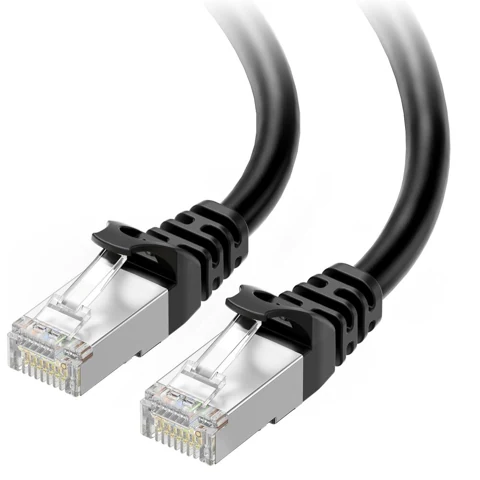
160012-BLK-10
Make the direct wired connection from one server RJ45 port to the existing test client.
Length: 10ft / approximately 3m
View on Amazon paid link · confirm current offerDetails & Header7F checksChoose and document the boot tools you want available before the next machine needs a fresh start.
Mirror and configure the images you need on a local volume, with versions and checksums retained in the project notes.
Record what actually booted and keep its later Linux PCIe baseline alongside the separate boot-service logs.
THE REASON TO BUILD IT
The useful starting point after a failed experiment is often a clean installer or a familiar recovery tool. This station keeps that next step close: one owned Linux host serves a deliberately configured test segment, and the chosen files live on a dedicated local volume.
A reusable USB key provides another way into the menu when a client’s firmware cannot start the network path directly. Keep the image names, versions and observed result with the machine’s Linux baseline, so the next rebuild begins with a record you recognize.
IMAGINE WHAT YOU COULD MAKE
Small inventions with a useful purpose.
Choose the idea that earns a place on your bench.
Original DIY concepts inspired by maker builds. You supply the code and validation. Shopping links open in a new tab; Amazon links are paid links.
DIY CONCEPT / 01
Use the dual-port server adapter and one shielded client lead to give a spare machine a deliberate boot path. Configure the local service and launch one chosen Linux installer or recovery environment, then record exactly what worked.
Header7F can help
Console Review separately collected Linux NIC and upstream-port evidence after the host is running.
Needs an owned Linux server and compatible wired client, separate server management, an isolated DHCP/boot configuration and supported software. No boot image comes installed.
DIY CONCEPT / 02
Make the 500GB local asset volume the home of a small, deliberately maintained boot library. Keep selected image versions, checksums and recovery notes together, and verify a chosen menu entry against those local files.
Header7F can help
Console Preserve the supplied Linux NVMe endpoint and upstream-link baseline beside the separate asset-library notes.
Requires a native M.2 2280 NVMe slot, existing server boot drive and separately configured local asset mirroring. Some installer dependencies may remain online; keep an independent checked copy.
DIY CONCEPT / 03
Prepare the single USB boot key for a machine that needs another route into the network menu. Keep one known image/version with the client record, launch the selected environment and save the resulting Linux baseline before the next experiment.
Header7F can help
Console Read supplied host PCIe evidence only after Linux is running; keep USB/iPXE boot results in their own logs.
Requires compatible USB boot firmware and an iPXE-supported NIC. Writing the image replaces data on the key. Configure the local menu path deliberately and check any remaining internet dependencies.
These projects inspired the approach. The concepts above are Header7F adaptations, not tested reproductions of these builds.
EVERY PIECE HAS A JOB
Start with the host and client you already own. Reuse an adequate spare boot key, asset drive or cable when available. This four-item selection includes one NIC, one SSD, one USB key and one cable; it supplies no computer, preinstalled boot software or guaranteed recovery outcome. Check each current Amazon offer for the exact model, seller and destination.
Give the boot host a dedicated wired path.
Two physical copper ports let an owned host keep the boot experiment explicit while using its existing management connection. Record the real NIC driver and PCIe link before adding another layer of boot configuration.
Premium core adapter. This is a 10Gtek board using an Intel controller; it is not an Intel-branded retail adapter. The spare low-profile bracket is included. Network boot serving requires neither SR-IOV nor VFIO.
Before choosing itA supported existing Linux host with a PCIe slot offering sufficient electrical lanes, physical clearance and airflow. Native server operation needs the host OS NIC driver; no VFIO or SR-IOV setup is needed for this boot-serving project. Keep an existing independent management path.
With Header7FRead the server NIC path →
Header7F reads supplied PCIe and driver evidence. It does not serve boot images, configure DHCP, measure Ethernet throughput or certify client PXE support.
Manufacturer specifications and selected Amazon identityExact Amazon identity checked 20 October 2026. Check the model, seller, condition, current price and delivery offer for your destination.
Keep the selected starting images in one place.
A dedicated 500GB volume can hold mirrored installers, recovery assets and menu configuration, with their versions and checksums close to the experiment. Choose the files you need rather than assuming the whole remote catalog is present.
Premium storage role. Requires an available native M.2 2280 NVMe slot. One drive is not redundancy or an independent backup; reuse adequate existing storage when possible.
Before choosing itAn owned Linux host with an available M-key M.2 2280 NVMe slot, suitable firmware/OS support and its own existing boot drive. Check motherboard lane sharing with the add-in NIC and provide documented cooling.
With Header7FRecord the local NVMe baseline →
One SSD provides no redundancy or independent backup. The software must actually mirror/configure each required boot asset; selecting a local drive does not make all netboot menu entries work offline.
Manufacturer specifications and selected Amazon identityExact Amazon identity checked 20 October 2026. Check the model, seller, condition, current price and delivery offer for your destination.
Carry another route into the menu.
Prepare one reusable USB entry key for a compatible client when direct network boot is unavailable. Keep its image/version in the project record so it can be deliberately refreshed for the next rebuild.
Recovery-path medium, supplied blank. A suitable owned key can fill this role; the selected capacity and speed rating are not necessary for every boot image. Verify firmware and iPXE NIC support.
Before choosing itAn owned target with compatible USB-A boot support and an iPXE-supported wired NIC. Follow netboot.xyz image instructions and deliberately configure the menu path for your local server. Writing the image replaces existing data on the key.
With Header7FKeep the recovered Linux baseline →
The key ships as storage, with no recovery system installed. Its performance rating does not guarantee USB boot support or firmware/NIC compatibility. If you already have a suitable spare boot key, use it.
Manufacturer specifications and selected Amazon identityExact Amazon identity checked 20 October 2026. Check the model, seller, condition, current price and delivery offer for your destination.
Make the first client link concrete.
One black shielded cable connects a server port to the client being rebuilt. Record which physical ports were used so a later failure can be compared with a known path.
One complete 10ft cable with two ends. A switch-based arrangement needs an additional owned lead. The cable does not certify boot compatibility or link throughput.
Before choosing itAn RJ45 Ethernet port on the target, an appropriate cable route within 10ft and a deliberately configured isolated test subnet. If using an existing switch instead, provide the additional owned patch lead.
With Header7FSeparate Ethernet and PCIe evidence →
This is a physical Ethernet cable. It cannot make a 1GbE client run at 10GbE or establish that an Ethernet symptom has a PCIe cause.
Manufacturer specifications and selected Amazon identityExact Amazon identity checked 20 October 2026. Check the model, seller, condition, current price and delivery offer for your destination.
YOUR FIRST USEFUL RESULT
An owned client reaches your configured menu and launches one chosen installer or recovery tool. Record the image/version and save a fresh Linux PCIe baseline.
Pick one owned client, one installer or recovery image and an isolated wired test path. Record the host, driver and server address.
Follow the official server and DHCP setup. Store selected assets on the dedicated volume and prepare the USB entry path where required.
Reach the chosen menu, launch the tool and record the versions and result. Keep Linux PCIe evidence alongside the separate boot-service logs.
Supply real Linux PCIe and driver output after a boot. Preserve DHCP, preboot and image-loading results with the software logs that actually produced them.
A CONSIDERED PURCHASE
For an owned Linux desktop with a spare PCIe x4 path, an available M.2 2280 NVMe socket, and an owned wired client with supported PXE/iPXE or USB boot. The 10GbE adapter does not guarantee boot speed or client compatibility.
No. The server card’s maximum link rate is not a project requirement. A supported slower Ethernet client can use the boot service at its negotiated link rate. Measure the actual task if throughput matters.
Only for assets that you have actually mirrored and configured for local use, including any files an installer later requests. A local menu and SSD alone do not make every netboot.xyz entry independent of the internet.
The key must be deliberately prepared, and the target must support the chosen USB boot path and its wired NIC in iPXE. Firmware architecture and boot settings matter. Writing a boot image replaces existing data on the key.
After Linux is running, Header7F can interpret supplied host PCIe, link and driver evidence. DHCP, TFTP, iPXE, image delivery and recovery operations use their own software and logs. No full build, recovery result or speed is claimed as tested.
This AI-arranged illustration shows a planned kit using product appearance references. Compare the original photos and the exact listing variant. It does not document an assembled, tested or compatible Header7F lab.
All scene products remain visible and individually linked. Retailer offers and regional delivery can change. Tools interpret supported supplied evidence; handling accessories do not produce diagnostic data.
As an Amazon Associate I earn from qualifying purchases. Amazon links are paid links; check the exact model, seller, price and delivery availability on Amazon.
← Explore the other builds