Keep host access deliberate
Verify a separate management route before changing the PCIe adapter or assigning guest functions.
A personal SR-IOV and network experiment desk / BUILD 06
A personal SR-IOV and packet-path workshop: deliberate ports, separate host access and an independent first check when a virtual network stops making sense.
Requires an existing compatible host, IOMMU/SR-IOV support and a separate management path. Check what you need ↓
Explore 3 DIY project ideas ↓One Amazon selection with the planned quantities. Choose around the equipment you own.
A PIECE OF THE BUILD · PREMIUM
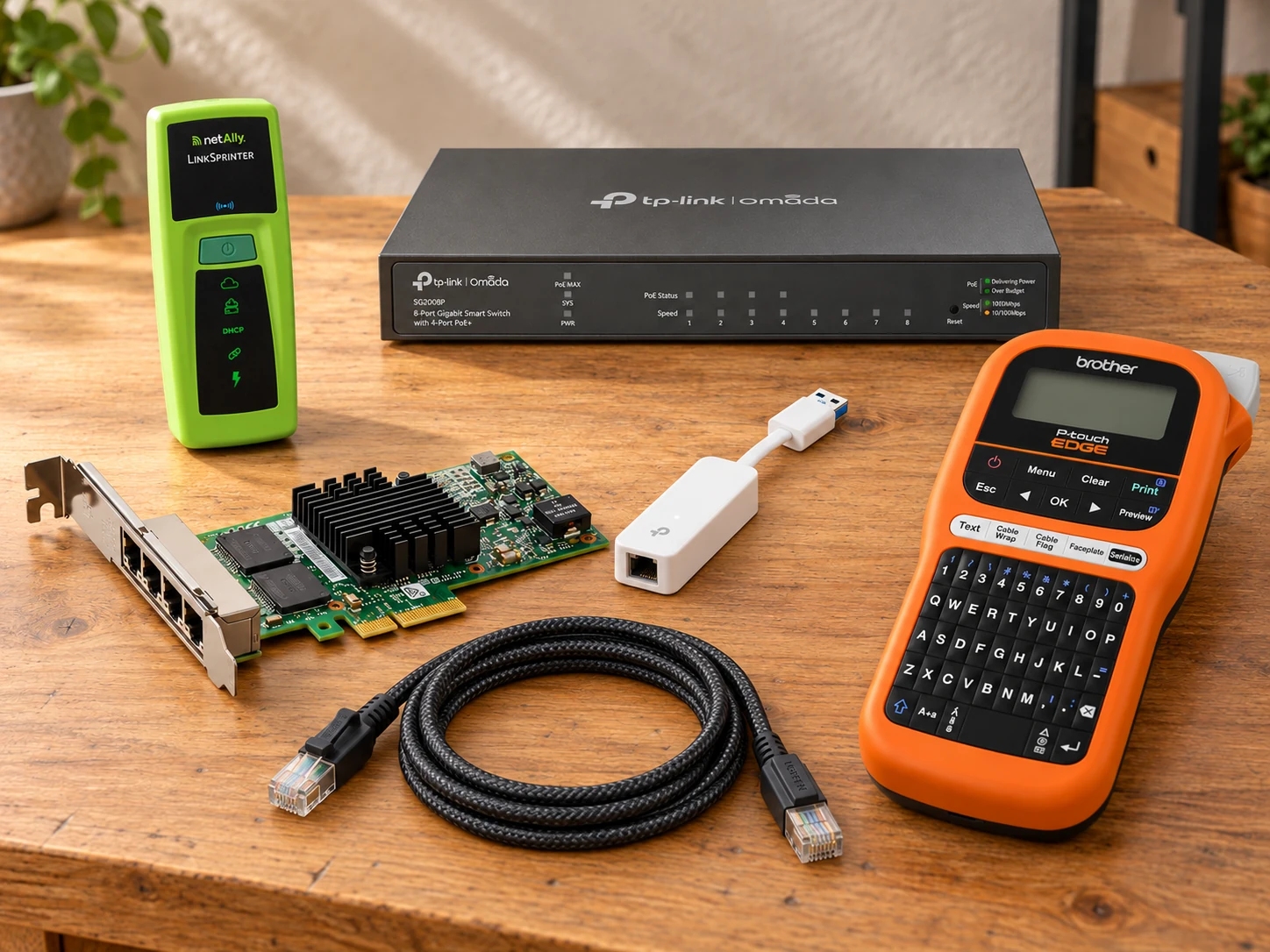
I350T4V2
Give a compatible host four physical 1GbE ports and an SR-IOV-capable controller so Linux VMs can study physical functions, virtual functions and dedicated packet paths.
Physical links: 4 × RJ45, up to 1GbE per port
View on Amazon paid link · confirm current offerDetails & Header7F checksA PIECE OF THE BUILD · PREMIUM
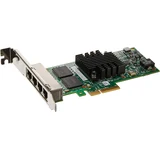
LSPRNTR-300
Check the physical Ethernet link, advertised switch port/VLAN, DHCP and gateway before spending an evening changing VM settings.
Checks: Link, PoE, DHCP, gateway and reachability; CDP/LLDP/EDP discovery
View on Amazon paid link · confirm current offerDetails & Header7F checksA PIECE OF THE BUILD
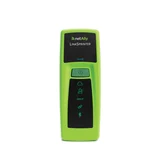
TL-SG2008P
Create isolated VLAN experiments and a mirror destination for a separate capture host; power the pocket tester from a compliant PoE port.
Ports: 8 × 10/100/1000 RJ45; 4 PoE+ and 4 non-PoE
View on Amazon paid link · confirm current offerDetails & Header7F checksA PIECE OF THE BUILD
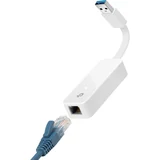
UE300
Keep a management interface on the host while the PCIe network card is assigned to guests or used in disposable experiments, if a supported onboard interface is not already available.
Interface: USB 3.0 Type-A to one 10/100/1000 RJ45 port
View on Amazon paid link · confirm current offerDetails & Header7F checksA PIECE OF THE BUILD
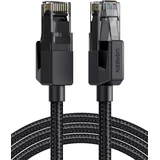
70680
Give the first test path a distinctly identifiable black braided lead so a cable swap does not quietly change the experiment.
Selected unit: One 6 ft black braided cable · 70680
View on Amazon paid link · confirm current offerDetails & Header7F checksA PIECE OF THE BUILD

PT-E110
Label physical ports and the one selected test lead so a screenshot, host log and later rerun can describe the same path. Reuse an owned label maker first.
Label widths: 3.5, 6, 9 or 12 mm TZe tapes
View on Amazon paid link · confirm current offerDetails & Header7F checksVerify a separate management route before changing the PCIe adapter or assigning guest functions.
Check Ethernet discovery and connectivity with appropriate tools, then interpret separately supplied host PCIe and IOMMU evidence.
Keep physical port labels, the one selected lead and the experiment’s host notes aligned for a useful rerun.
THE REASON TO BUILD IT
A guest loses its connection and the next change is tempting: a new driver, a different bridge, another reboot. This lab gives the investigation a physical map. The four-port adapter anchors the host, the managed switch defines the test segment, and a supported independent management path keeps the host accessible while you experiment.
The supporting tools make a return visit easier. A pocket tester checks the advertised physical path before you rewrite guest settings; printed labels keep the same port names in the record. With owned endpoints and separate software, the lab can become an SR-IOV sandbox, a poor-network rehearsal or a mirrored-traffic observation point.
IMAGINE WHAT YOU COULD MAKE
Small inventions with a useful purpose.
Choose the idea that earns a place on your bench.
Original DIY concepts inspired by maker builds. You supply the code and validation. Shopping links open in a new tab; Amazon links are paid links.
DIY CONCEPT / 01
Give disposable Linux VMs their own virtual network functions with the Intel four-port adapter, while the USB management adapter keeps a separate route back to the host when an owned management port is unavailable. The result is a place to learn SR-IOV without making each guest experiment your only way in.
Header7F can help
IOMMU Group Checker Review supplied host grouping before assignment.
Console Compare supplied native PCIe device evidence.
Requires platform SR-IOV/IOMMU support, supported host/guest drivers and verified management configuration. Header7F does not create or assign virtual functions.
DIY CONCEPT / 02
Build a repeatable rehearsal for application timeouts: use the managed lab switch to keep the test segment explicit and the one black braided test lead to identify its first physical path. An owned Linux host running netem introduces delay or loss; the switch itself does not simulate a poor connection.
Header7F can help
Console Keep the host NIC evidence alongside each experiment.
AER Error Decoder Interpret actual PCIe error logs when present, separately from intentional network loss.
Use isolated owned endpoints and sufficient existing cables. Netem configuration and application/throughput measurements happen outside Header7F.
DIY CONCEPT / 03
Turn an unlabeled lab into a small serviceable appliance: the pocket Ethernet tester checks which switch port and VLAN are advertised, and the optional cable label printer makes that path recognizable on the next visit. Pair the physical notes with a separate capture host and switch mirror when packet inspection is needed.
Header7F can help
Console Review the separately collected host NIC evidence using the same port names.
PCI Config Decoder Inspect host NIC configuration; it does not read the label or switch.
Discovery depends on advertised switch information; cable/network checks use NetAlly software. Packet capture needs separately configured software. Label printer power is not included.
These projects inspired the approach. The concepts above are Header7F adaptations, not tested reproductions of these builds.
EVERY PIECE HAS A JOB
This selection assumes an owned compatible host, test endpoints and enough existing cables. Reuse suitable management, testing and labeling equipment. The tester and label maker are optional workflow additions. Exact availability, seller and delivery vary by destination; check each current offer.
Give the experiment four physical paths.
A supported host gains four Gigabit ports and an SR-IOV-capable controller. That gives a personal lab concrete PF, VF and port identities to study instead of treating all virtual traffic as one unnamed connection.
Core adapter. Host firmware, IOMMU grouping, Linux igb and guest drivers still determine what is supported; the card alone does not guarantee SR-IOV.
Before choosing itOwned x86 host with a usable PCIe x4-or-wider slot, suitable bracket/airflow, BIOS IOMMU and SR-IOV enabled, supported Linux igb/guest drivers and verified IOMMU grouping. Keep separate host management. SR-IOV is a capability, not a guarantee for every motherboard or hypervisor.
With Header7FReview IOMMU grouping →
Interpret supplied host group listings and PCIe evidence. Header7F does not enable VFs, configure a virtual switch or validate network isolation.
Manufacturer specificationsCheck the link before changing the guest.
An independent pocket tester can show link state, advertised switch port and VLAN, DHCP and gateway information. It gives the first physical-network check its own tool before you investigate a guest’s software configuration.
Premium optional diagnostic tool. Reuse an adequate owned tester; this is not a 10GbE tester, packet analyzer, throughput benchmark or cable certifier.
Before choosing itA configured Ethernet network and smartphone for detailed local results; the selected managed switch can supply standards-based PoE. Discovery depends on switch advertisements. Link-Live cloud reporting is separate from Header7F.
With Header7FCompare with host-side evidence →
Use NetAlly software for its network test results; Header7F can separately review the host NIC PCIe evidence. No direct LinkSprinter import, packet capture or cable certification is offered. This is not a 10GbE tester, throughput benchmark or cable certifier.
Manufacturer specificationsDelivery was restricted in the checked Amazon location. Check the exact listing for your destination before choosing this item.
Make the test segment deliberate.
VLAN and mirror settings let a separately configured lab define which path is under investigation and where a capture host receives copies. Standards-based PoE can power the pocket tester from a suitable port.
Core managed switching role for this layout. Eight Gigabit ports, four PoE+ ports and a 62 W budget; match firmware to the delivered hardware revision. Mirroring may drop copies if oversubscribed.
Before choosing itStandalone web configuration or an appropriate Omada controller, a compatible power outlet, owned patch leads for the other links, an independent capture computer and explicit VLAN/management design. A mirror can drop copies when its output is oversubscribed.
With Header7FInspect the host NIC link →
Header7F decodes supplied host-side PCIe configuration, not switch firmware, VLAN configuration, PoE measurements or packet contents.
Manufacturer specificationsKeep a separate route back.
A supported USB Ethernet interface can preserve host management while the PCIe adapter is assigned to guests or used for disposable tests. It fills a specific gap when a suitable owned management interface is unavailable.
Optional management connection. Configure and verify it before changing assignments. It is a USB device, so its traffic is not decoded as a PCIe endpoint.
Before choosing itOwned USB-A 3.0 port, supported OS/driver and a separate owned patch cable. Configure and verify management access before changing the PCIe adapter assignment.
With Header7FKeep PCIe evidence separate →
The adapter is a USB device. Header7F does not decode its USB traffic; use host USB/network tools for the UE300 and the Console for the separate native PCIe adapter.
Manufacturer specificationsKnow which lead was in the test.
One distinct black braided cable gives the first path a recognizable physical identity. Keep its port names in the experiment record so a later cable swap is a deliberate change.
One complete 6 ft cable with two RJ45 ends. Other links require owned leads; one cable does not connect the whole lab.
Before choosing itOne compatible RJ45 port at each end. Other paths need owned cables; this single lead does not wire the whole lab. Do not infer cable certification or bandwidth from appearance.
With Header7FRecord the host evidence alongside it →
Use a cable/network tester and OS network tools for the cable. Header7F can help distinguish separately supplied host NIC PCIe errors; it cannot test copper pairs.
UGREEN cable familyLeave a lab you can return to.
Cable flags and faceplate labels make physical port names visible after the terminal window is closed. Match those names to the host and network notes so the next visit starts with the same map.
Optional organization aid; reuse an owned label maker first. The kit includes one tape, case and safety strap, but needs six AAA batteries or the separately specified compatible adapter.
Before choosing itSix owned AAA batteries or the separately specified compatible AC adapter. The supplied tape starts the workflow; choose manufacturer-approved tape for permanent cable wraps. No extra tape product is selected here.
With Header7FKeep the same labels in evidence notes →
This is an organization aid. Header7F does not print labels or identify a cable automatically; manually preserve the same host/port names when reviewing evidence.
Manufacturer specificationsYOUR FIRST USEFUL RESULT
A working independent management route, one identified test link and a preserved host NIC baseline.
Confirm the owned host, slot and driver requirements, then verify separate management before changing any adapter assignment.
Choose an isolated pair of owned endpoints, label the ports and verify the first Ethernet link with its own network tools.
Save supplied host PCIe/IOMMU evidence beside the independently observed network result and the exact port map.
Then keep genuine host fault messages, PCIe evidence and independently observed network behavior as distinct observations.
A CONSIDERED PURCHASE
Requires an owned compatible x86 Linux or virtualization host and external test endpoints. SR-IOV is conditional; network configuration, packet capture, fault simulation and measurements use separate software.
No. The host CPU, motherboard firmware, usable slot, IOMMU support and grouping, Linux PF driver and guest drivers must all support the chosen setup. Header7F interprets supplied evidence; it does not enable or assign virtual functions.
The switch provides configured VLAN and mirror paths. An owned Linux machine running separate netem software introduces the intended impairment. Test endpoints, software configuration and application measurements are required; the switch itself is not the network simulator.
No. It performs basic copper network checks including link, PoE, discovery, DHCP and gateway information. It is not a 10GbE tester, a throughput benchmark, a packet-capture tool or a cable certifier. Use its own software for detailed results.
On a suitable owned host, separately configured software such as OPNsense or a packet-capture application can provide that project. Check the software’s host requirements, mirror limits and isolation plan. The bundle supplies no ready-made firewall configuration or tested security outcome.
This AI-arranged illustration shows a planned kit using product appearance references. Compare the original photos and the exact listing variant. It does not document an assembled, tested or compatible Header7F lab.
All scene products remain visible and individually linked. Retailer offers and regional delivery can change. Tools interpret supported supplied evidence; handling accessories do not produce diagnostic data.
As an Amazon Associate I earn from qualifying purchases. Amazon links are paid links; check the exact model, seller, price and delivery availability on Amazon.
← Explore the other builds