Give the guest a place
Use a dedicated GPU and adjustable QHD display for a supported guest desktop you can sit down and work in.
Make a personal VM worth sitting down to / BUILD 04
A dedicated graphics path, comfortable controls and a screen you can settle into. Build a personal guest desktop around a suitable computer you already own.
Requires an existing IOMMU-capable desktop, suitable GPU power and a separate way to administer the host. Check what you need ↓
Explore 3 DIY project ideas ↓One Amazon selection with the planned quantities. Choose around the equipment you own.
A PIECE OF THE BUILD · PREMIUM
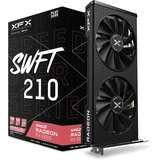
RX-66XL8LFDQ
Give one guest a physical graphics card and display path, while the host keeps its own administration route.
Graphics memory: 8GB GDDR6
View on Amazon paid link · confirm current offerDetails & Header7F checksA PIECE OF THE BUILD
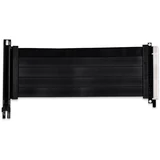
PW-PCI-420
Keep an approved optional mounting route available, with a direct-slot baseline that makes later link changes easier to investigate.
Generation: PCIe 4.0
View on Amazon paid link · confirm current offerDetails & Header7F checksA PIECE OF THE BUILD · PREMIUM
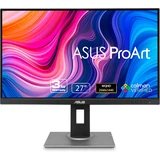
PA278QV
Give the passed-through GPU a clear physical destination, with enough room for a guest desktop and a readable comparison window.
Panel: 27-inch IPS / anti-glare
View on Amazon paid link · confirm current offerDetails & Header7F checksA PIECE OF THE BUILD
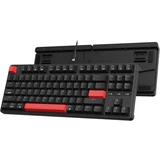
C3P-A1
Give the guest a full typing layout for creative work and a repeatable way to trigger the same workload.
Layout: 87-key TKL
View on Amazon paid link · confirm current offerDetails & Header7F checksA PIECE OF THE BUILD
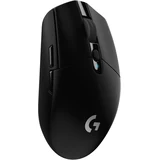
910-005280
Make desktop navigation feel natural, with a separate receiver that can be assigned to the intended guest or supported client.
Sensor: HERO / up to 12,000DPI
View on Amazon paid link · confirm current offerDetails & Header7F checksA PIECE OF THE BUILD
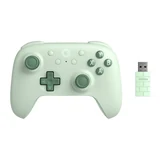
Ultimate 2C Wireless Green
Give the finished desktop a more relaxed second role: play compatible games from a supported local or Moonlight client.
Controls: Hall-effect sticks + triggers
View on Amazon paid link · confirm current offerDetails & Header7F checksUse a dedicated GPU and adjustable QHD display for a supported guest desktop you can sit down and work in.
Choose where the keyboard, mouse receiver and controller belong, while preserving an independent way to administer the host.
Save the actual GPU group, endpoint and upstream evidence beside a working guest run before changing the installation.
THE REASON TO BUILD IT
A useful VM should be somewhere you can finish a task. A dedicated graphics card and its own display give a supported guest a physical place on your desk. Add normal keyboard and mouse control, keep the host accessible separately, and the project starts to feel like a workspace you chose to use.
The extra pieces have distinct jobs. A controller opens a supported remote-play option using an owned client; the riser serves only an approved mounting or comparison need. Keep a real hardware baseline beside the working guest so a later reset, driver or link change has something concrete to compare with.
IMAGINE WHAT YOU COULD MAKE
Small inventions with a useful purpose.
Choose the idea that earns a place on your bench.
Original DIY concepts inspired by maker builds. You supply the code and validation. Shopping links open in a new tab; Amazon links are paid links.
DIY CONCEPT / 01
Give a supported guest its own RX 6600 and a visible home on the 27-inch ProArt display. The idea is a focused work environment you can return to, while the host keeps an independent administration path.
Header7F can help
IOMMU group checker Read the real GPU group and its companion functions before planning assignment.
DMAR / AMD-Vi fault decoder Interpret genuine host IOMMU faults if they appear around guest activity.
Concept for a suitable existing host. Group isolation alone does not guarantee reset, firmware or driver compatibility.
DIY CONCEPT / 02
Use the green Ultimate 2C with a supported owned Windows/Android client to make a Sunshine/Moonlight session feel like a small personal console. Keep the C3 Pro keyboard and G305 mouse for the moments that need normal desktop control.
Header7F can help
Header7F Console Preserve a real host GPU baseline beside the client, input route, workload and separately measured stream result.
Sunshine/Moonlight are separate open source projects. Header7F does not stream, assign USB devices or measure latency; verify the actual supported client and input emulation.
DIY CONCEPT / 03
If your approved case fixture needs another card position, make the 200mm Gen4 riser a documented alternative to the direct slot. The useful DIY outcome is a repeatable comparison that helps explain a changed link or new error before another part is purchased.
Header7F can help
Header7F Console Compare endpoint and immediate upstream captures before/after one powered-down physical change.
PCIe AER decoder Read genuine time-bounded PCIe Bus Error logs from each condition.
Optional cable, not a passthrough requirement. Correct fixture and strain relief required; correlation does not prove cable fault.
These projects inspired the approach. The concepts above are Header7F adaptations, not tested reproductions of these builds.
EVERY PIECE HAS A JOB
This is a selection for an existing computer. Reuse suitable graphics, display and input hardware you own. The riser is optional, and remote play needs an owned supported client and suitable network. Check each selected model, seller, condition and delivery offer before buying.
A desktop the VM can call its own.
A dedicated physical GPU lets a supported guest drive the desk display and run its own graphics applications. It also gives the experiment a named endpoint whose link and lifecycle can be recorded.
Passthrough assigns the device to one guest; the host cannot use that GPU at the same time. Reuse a suitable dedicated GPU first.
Before choosing itAn IOMMU-capable existing desktop with a suitable slot, 241 × 131 × 41 mm clearance, supported host and guest drivers, 8-pin PCIe power, and enough PSU capacity. XFX lists 550W minimum PSU. Keep independent host graphics or remote management. Check the real IOMMU group, device functions and reset behavior before assuming passthrough works.
With Header7FCheck the actual GPU group →
A clean IOMMU group does not guarantee reset, firmware or VM driver compatibility. Header7F reads supplied evidence; it does not configure VFIO or test this card.
Manufacturer specificationsDelivery was restricted in the checked Amazon location. Check the exact listing for your destination before choosing this item.
Make the optional path a controlled choice.
An approved 200mm riser can support a different card position. If a link changes, a saved direct-slot comparison helps narrow what changed before the next component is replaced.
Keep this unchecked or reuse an owned approved path if direct mounting already meets the goal. The cable is not required for passthrough.
Before choosing itOnly use where the exact case, mounting bracket, cable orientation, bend space and GPU support are approved. LIAN LI lists supported case families; this cable does not supply a mounting bracket. Power down fully under the host service procedure before changing paths. No unsupported dangling GPU.
With Header7FCompare direct-slot and riser captures →
The passive cable has no PCIe function of its own. Read the endpoint and immediate upstream port. Correlated AER/link changes do not prove an electrical fault in the riser.
Manufacturer specificationsSee the guest as a proper desktop.
The adjustable 27-inch QHD screen gives the VM a comfortable physical workspace, instead of making every task depend on a remote viewer. Its stand lets the buyer set a useful reading height.
This original PA278QV is an SDR 75 Hz display. It is not an HDR or high-refresh gaming promise. Reuse a suitable existing monitor first.
Before choosing itMatch the real video output, selected input, cable and supported mode. Reuse the included suitable regional video cable before buying another. Do not confuse the monitor USB hub with a KVM; no KVM is specified. The host still needs independent management when its GPU belongs to the guest.
With Header7FKeep display symptoms beside PCIe evidence →
Header7F cannot test the display, video cable, refresh rate or image quality. Console evidence concerns the host PCIe device; inspect monitor input and guest display settings separately.
Manufacturer specificationsA guest worth working in.
A compact wired keyboard keeps normal typing and shortcuts on the desk without spending room on a number pad. The same input sequence also makes a reported VM symptom easier to reproduce.
Included USB cable and keycap accessories are part of this single purchase. Do not buy them again as separate bundle items.
Before choosing itAn available USB connection and an explicit input route: assigned USB device for local guest use, or the supported Moonlight client input path. Preserve independent host administration. Use the cable supplied with this keyboard.
With Header7FKeep the input route with the reproduction →
This USB keyboard is not decoded as a PCIe endpoint. Header7F does not remap keys, inspect USB reports or assign the device to a VM.
Manufacturer specificationsDelivery was restricted in the checked Amazon location. Check the exact listing for your destination before choosing this item.
Keep everyday control simple.
A compact wireless mouse gives the guest normal pointer control without adding another cable across the work surface. Its receiver can stay with the chosen computer rather than moving unpredictably between host and guest.
The receiver and AA battery belong to this one product. This is not a Bluetooth mouse.
Before choosing itSupported Windows/macOS use and available USB-A receiver port. For a Windows guest, decide which machine owns this receiver. Software customization and OS support differ; do not assume Bluetooth support.
With Header7FRecord where the receiver belongs →
Header7F does not inspect mouse traffic, radio interference or input latency. Keep this USB path separate from GPU PCIe evidence and from independently observed stream latency.
Manufacturer specificationsLet the same project make room for play.
The green gamepad gives a supported guest or streaming client a comfortable game-first control option. Its own receiver and cable keep the connection plan explicit.
The 1000Hz figure is the manufacturer local 2.4GHz/wired polling specification, not end-to-end VM or streaming latency.
Before choosing itWindows 10+ supports 2.4GHz or wired; Android 9+ uses Bluetooth according to 8BitDo. Verify the actual Moonlight client, controller support and Sunshine input-emulation requirements before buying. The controller is not advertised as an Xbox or Switch console controller.
With Header7FRead actual guest-run IOMMU faults →
Use the fault decoder only for genuine host DMAR/AMD-Vi messages around a VM run. It does not debug this controller, measure input lag or operate Sunshine/Moonlight.
Manufacturer specificationsYOUR FIRST USEFUL RESULT
A guest driving the chosen display, a documented working start/stop cycle and a saved host PCIe baseline.
Confirm slot, power, clearance, IOMMU group and an independent administration path before assigning a GPU.
Follow your platform’s supported setup, choose the display and input route, then document one working guest start and stop.
Preserve the actual endpoint/upstream evidence with the guest version, input route and observed result before the next change.
Paste a real host group listing. Keep reset behavior, drivers and guest results as separate checks.
A CONSIDERED PURCHASE
For a suitable existing IOMMU-capable desktop. This selection does not include the host or guarantee passthrough; the riser and remote-play controller serve optional roles.
No. You supply the compatible host, CPU, motherboard, RAM, storage, power supply, supported software and guest license. The host needs independent graphics or management access while the dedicated GPU belongs to the guest.
Compatibility depends on the exact host firmware, IOMMU group, companion device functions, reset behavior and host/guest drivers. Header7F helps interpret supplied evidence; it does not certify the combination or configure VFIO.
Only if an approved case fixture or a deliberate direct-slot comparison calls for it. The 200mm cable supplies no mounting bracket. Use proper support and the equipment’s powered-down service procedure.
A supported Sunshine host and an owned Moonlight client can provide that separate software workflow. Verify the encoder, client, network and input requirements. Header7F does not stream the desktop or measure end-to-end latency.
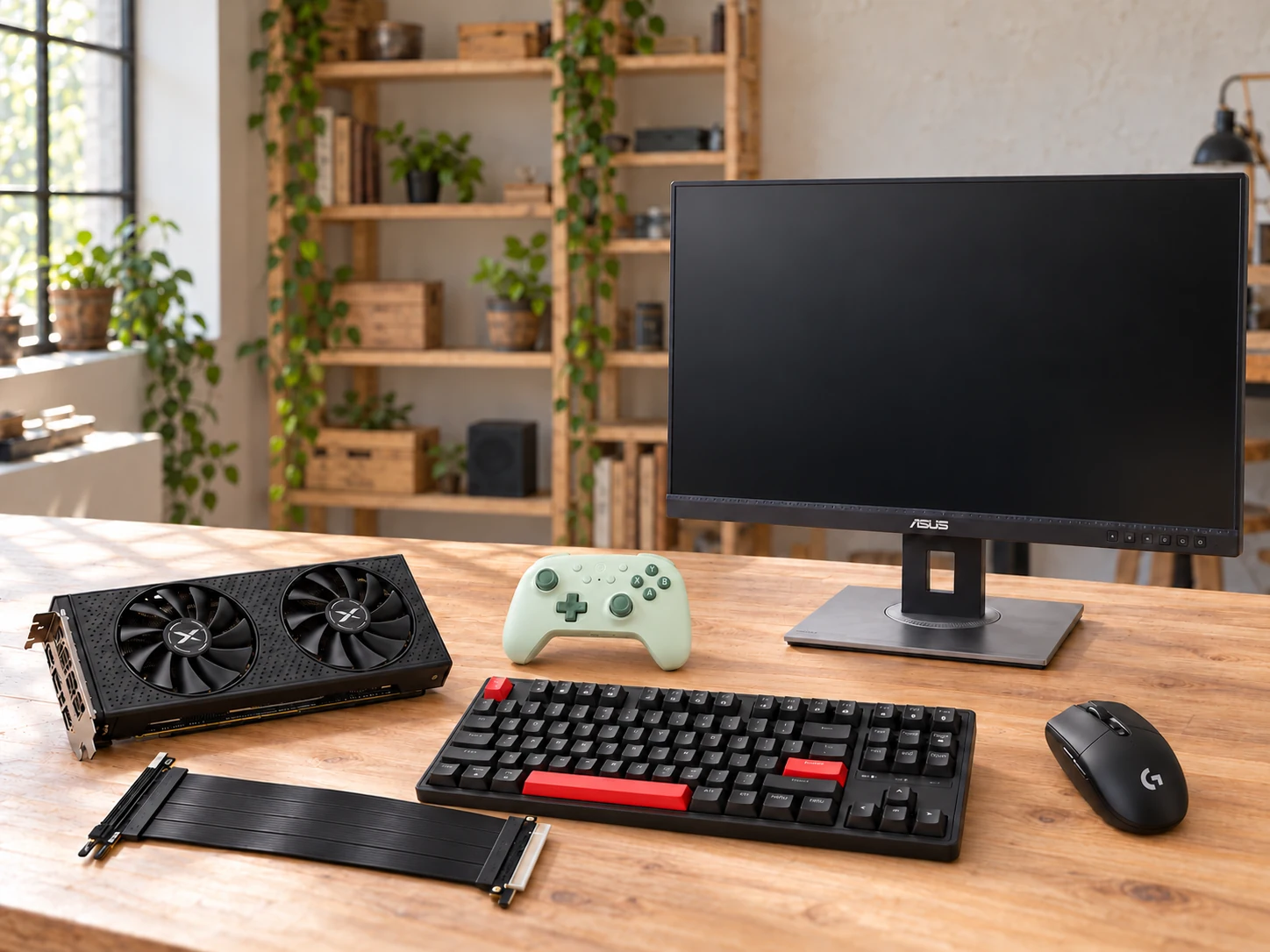
This AI-arranged illustration shows a planned kit using product appearance references. Compare the original photos and the exact listing variant. It does not document an assembled, tested or compatible Header7F lab.
All scene products remain visible and individually linked. Retailer offers and regional delivery can change. Tools interpret supported supplied evidence; handling accessories do not produce diagnostic data.
As an Amazon Associate I earn from qualifying purchases. Amazon links are paid links; check the exact model, seller, price and delivery availability on Amazon.
← Explore the other builds